
JIMBU Guide
Staff Uniform Online Ordering Portals: Buyer's Guide
A staff uniform online ordering portal keeps approved workwear, requests and reports in one place. See what to look for and make uniform ordering easier.
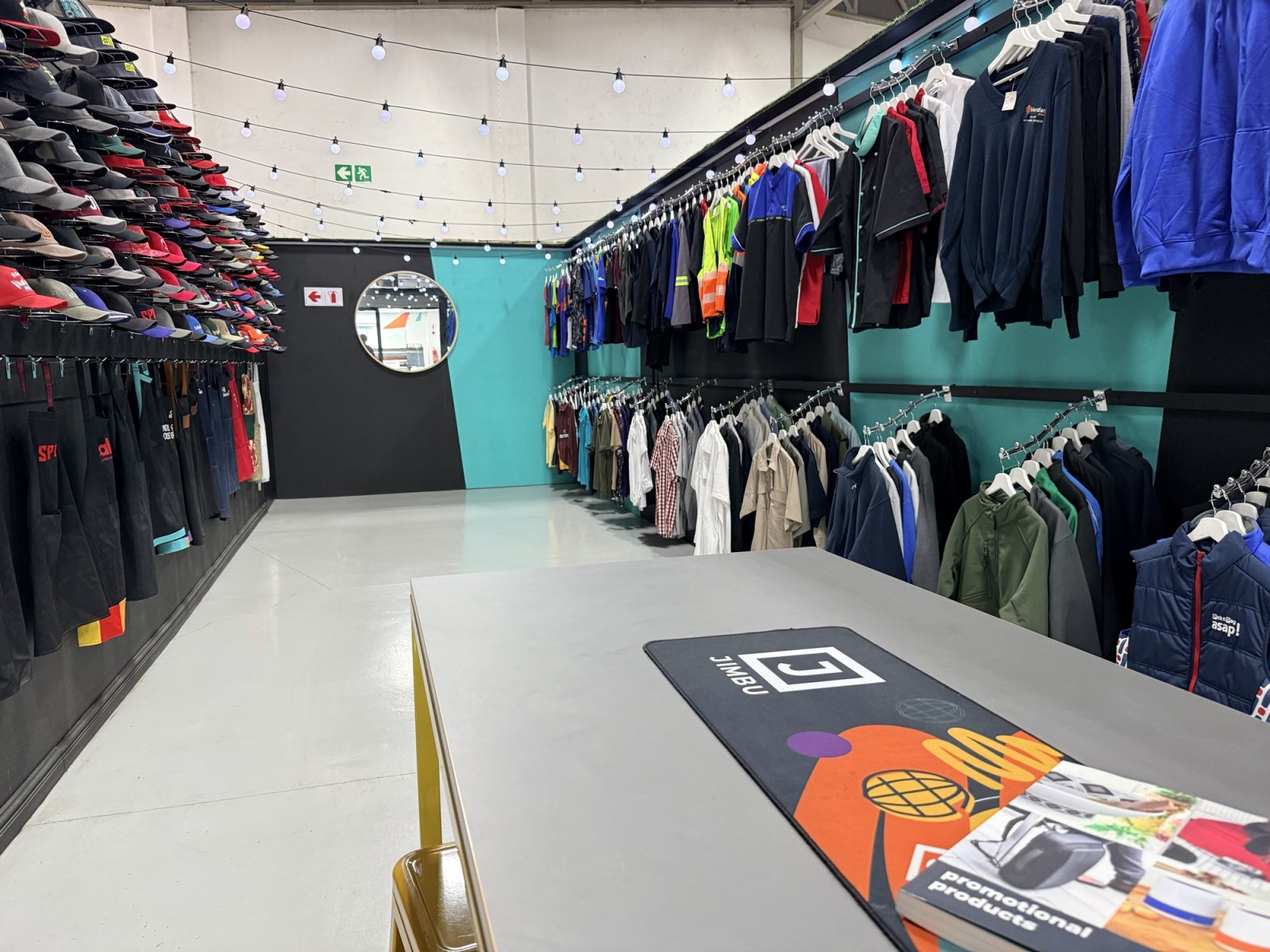
Three staff members need new uniforms, but the requests land in three different inboxes. Eish, now you’re chasing sizes, approvals and order updates. A staff uniform online ordering portal puts approved workwear in one place, so employees can order what they need without sending every request through an administrator.
When staff requests, approvals and order questions pile up, a well-organised portal can make things easier to manage. Employees choose from an approved range, while access permissions and approval steps help send requests to the right people. Order histories and reports also give your team a clearer view of what’s been requested and how uniform spending is being used.
We’ll break down how these portals work, what self service looks like for staff, and which reports are useful for your central team. You’ll also see how clear garment choices and sizing guidance can help cut down on ordering mistakes, returns and follow up. Sho, that’s less chasing people just now.
Key Takeaways
- Set clear permissions and approval steps, so uniform orders stick to your team’s rules.
- Check order histories and reports to see what your team’s requested and plan what you’ll need next.
- Match approved garments and spending limits to each department or role.
- Share clear product details and sizing guidance to help cut ordering mistakes, returns and admin chasing.
What Is an Employee Self-Service Ordering Portal?
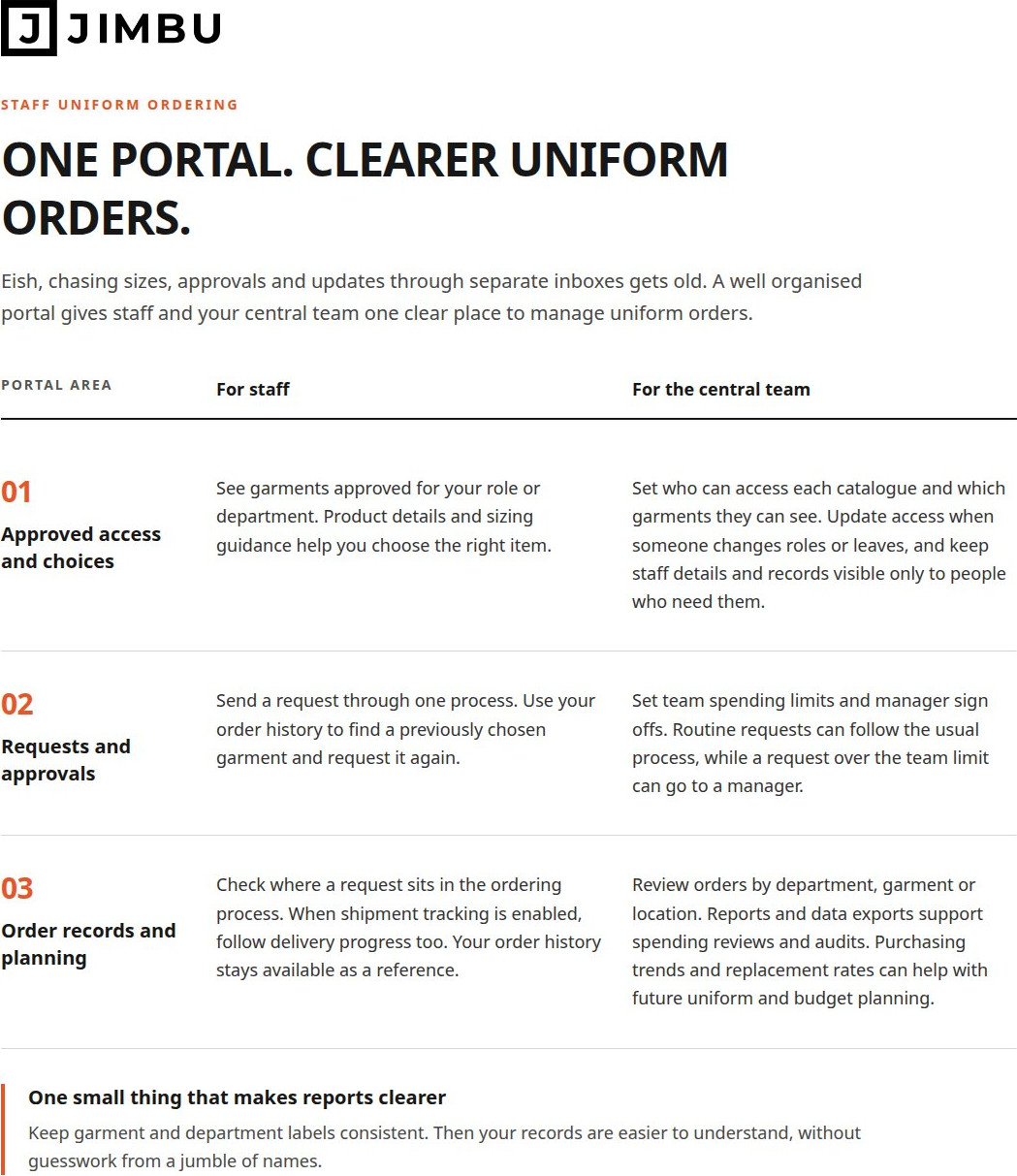
A staff uniform online ordering portal gives employees a private place to choose workwear from an approved selection. It can include size guides, spending limits and manager sign-offs, so staff can place requests without a chain of emails.
Custom Permissions and Manager Sign-Offs
Permissions decide who can see and order each garment, while manager sign-offs send requests to the right person. This is handy when departments have different uniform needs or supervisors. For example, retail staff can see approved garments for their role, with their manager checking requests before they go ahead. Clear responsibilities help everyone know what happens next.
Spending Limits and Order Sign-Offs
Team spending limits set how much a group can spend, while approval rules flag requests for a manager to check. This helps an organisation stick to its budget rules for everyone. A request over a team’s limit might go to a manager, while a routine order follows the usual process. Getting the right person to check each request helps managers focus on what needs their attention.
Repeat Orders for Approved Garments
Repeat ordering lets employees pick a garment they’ve ordered before instead of starting from scratch. This is useful when replacing an item or reordering approved workwear. Staff can check their order history, pick the garment and send a new request under the current rules. Keeping orders within the approved range helps prevent accidental requests for items outside the uniform programme.
Size Guides for Staff Orders
Size guides give employees useful sizing info alongside garment details, helping them choose the right fit. A size mistake can mean extra follow-up or a return, so put the guide where employees choose their items, not somewhere tricky to find. Clear garment information also helps new starters pick a suitable fit.
Reporting, order histories and data exports
Order records beat digging through a mountain of emails. A portal can show requests by department, garment or location, so your team can see where orders are coming from. Staff can view their own order history, while authorised administrators can look across the wider programme. That gives you a clearer picture than a spreadsheet someone last updated just now.
Order status and shipment updates are two different things. Status shows where a request sits in the ordering process. Shipment updates can show delivery progress when tracking is enabled. Staff can use those details to follow their own orders, while administrators can see which requests need attention. Less inbox ping pong. Lekker.
Reports can help turn past orders into useful planning. Say one department regularly orders replacement garments. Reviewing its purchasing trends and replacement rates can help your team plan future uniform needs and budgets. Data exports give administrators records for spending reviews and audits. Keep garment and department labels consistent, and the resulting reports are easier to make sense of. No guesswork from a jumble of mismatched names.
Order history can also help staff place a repeat order. They can use a previous request as a reference, rather than trying to remember which garment they chose. Across several locations, central administrators can use the records to see recurring needs without collecting each request by hand. If you’re looking at uniform programme planning, this kind of reporting can help shape the conversation.
What is a staff uniform portal?
A staff uniform portal is a private online shop where employees choose workwear from an approved range. Only approved staff should be able to get in, and each person should see the options and information they need. That keeps uniform orders simple and staff details private.
The catalogue is the shop window. It shows garment images, product details and sizing guidance, so employees can choose what suits them. A central team can group items by department, role or staff group. Hospitality staff, for example, can see their team’s range, while retail employees see the garments picked for their roles. No need to scroll through a list that doesn’t apply to them.
Department catalogues make it easier to manage uniforms across branches and teams. Employees can find options for their group, while the central team keeps the wider selection in order. If someone changes departments, their catalogue access can be updated. You can also set spending limits for a team or programme, so orders stay within the group’s allocation.
Think of it as one shop with different views for different teams. A call centre employee might see a different garment selection from a school employee. Each group gets its approved options, instead of everyone searching the same list. Keep staff details, order records and reports visible only to the people who need them. And when someone changes roles or leaves, update their access.
Things work best when catalogue choices, staff access and spending limits line up. If a garment is meant for one department, make that clear in its listing and ordering rules. Employees get a focused selection, and the central team can manage requests without mixing up what different groups need.
Check that only approved staff can access the portal, and that people can’t see staff details, order records or reports they don’t need. Administrators should be able to update access when someone changes roles or leaves. Department catalogues and ordering rules should keep each team’s options clear, too.
Fewer order errors, returns and admin headaches
Chasing emails and trying to make sense of vague requests can make uniform top-ups a mission. A portal gives your staff and admins one shared way to send in and check orders.
Less admin for top-up orders
Staff can request replacement garments through the same process as other uniform orders. No need for your admins to collect every request by email or piece it all together by hand. Employees send requests through the portal, and your central team can check the order details and budget info in one place.
Order histories also give your admins something to check when repeat requests come in. Managers can spot duplicates and see what a team’s already asked for. Reports on replacement rates and departmental spending can help with future uniform budgets. Instead of chasing updates all over the place, your team can check requests together and focus on what needs attention.
Fewer order errors and returns
Make order details clear before anyone sends in a request. The wrong garment or size can mean follow-up and returns. A focused selection, clear product details and sizing guidance help staff choose the right gear. Well-labelled fields make it easier for them to give your admins the details needed to process a request.
Seeing orders can help managers spot duplicates and keep an eye on budgets. Checking a team’s order history, for example, can show if someone’s already requested a replacement. Approval steps can flag requests that don’t fit the programme rules before they go ahead. No process catches every mistake, but clear info and shared records can cut down on avoidable errors and manual corrections.
Keep it simple: staff send in complete requests, managers check anything out of the ordinary, and admins use order records to keep track. If your current uniform process needs a tidy up, talk through your uniform ordering needs.
JIMBU: Staff Onboarding Packs
JIMBU’s Staff Onboarding Packs help new team members get off to an organised start with your uniform programme. They fit into your existing workwear process, so new staff can get what they need without a separate request process.
For larger workforces, JIMBU also runs uniform programmes with just-in-time supply, stockholding and 1-hour delivery. We can chat about what suits your team and how Company Uniforms and Apparel fit your requirements. That way, uniform planning’s easier as your team changes, without a separate admin scramble for every new starter.
Chat to JIMBU if you’d like to talk through your staff uniform needs.
Make your next uniform decision a practical one
Before choosing a staff uniform online ordering portal, work out what you want to make easier for your team. Think about the everyday stuff, like getting new starters kitted out, replacing worn garments or keeping choices consistent across departments. That’ll help you see which portal features you need and how they fit with the way you already work.
Think about the whole brand experience, not just the order. Uniforms and branded items both show people what your organisation’s about. We can help you bring Company Uniforms & Apparel, Brand Stores and Branded Products together, so you don’t have to make those decisions separately.
You don’t need to have every detail mapped out before starting the conversation. Bring the challenge you’re trying to solve, and we can talk through a practical next step. Contact JIMBU about uniform portals and let’s get the conversation going. Sharp?
Got questions?
Frequently Asked Questions

Ready when you are
Let's build something worth talking about.
One partner. End-to-end execution. From the first sketch to the last shipped box.