
JIMBU Guide
Employee Uniform Allowances: Manage Limits and Orders With an Online Store
Learn how to manage employee uniform allowances with role-based limits and an online store to keep approved orders and spending easy to track in one place.
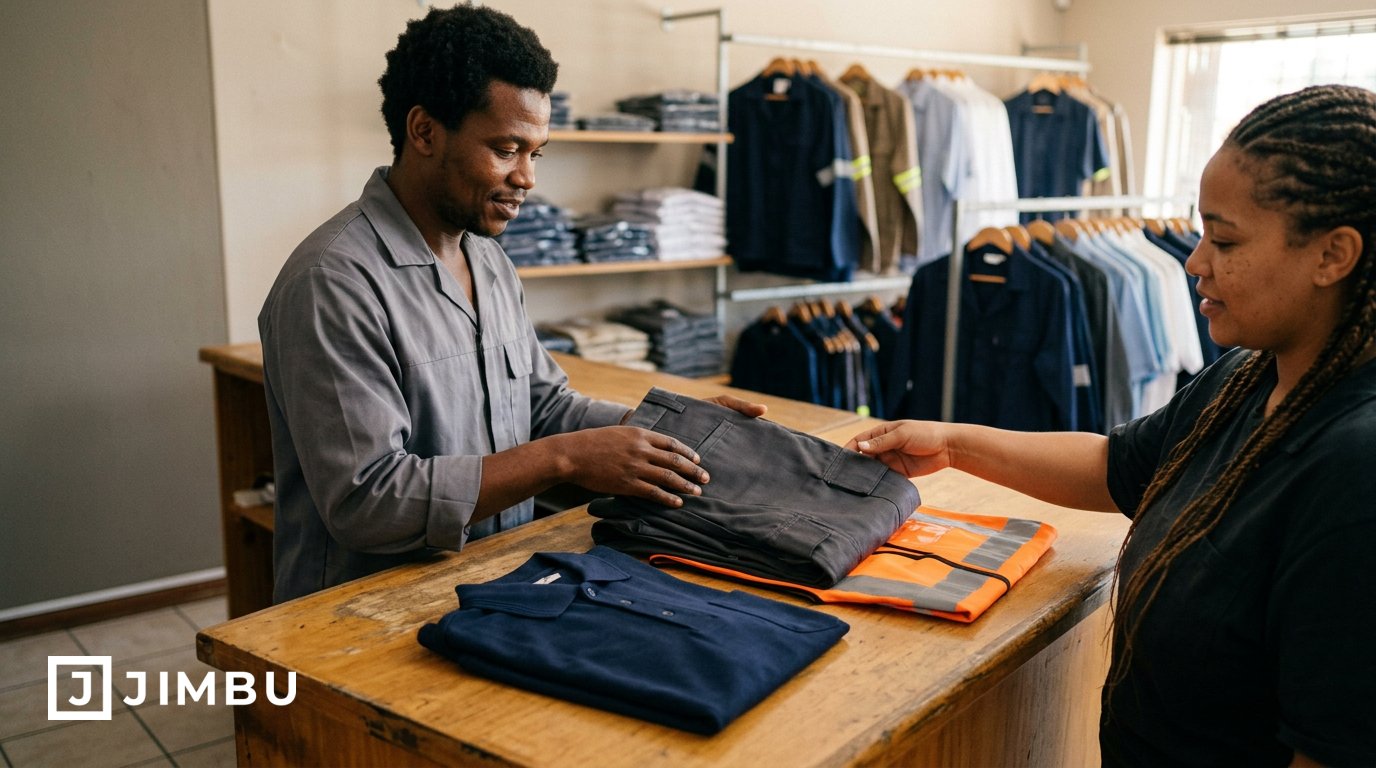
The simplest way to manage employee uniform allowances is to set clear limits by role and give staff a straightforward way to order approved items. You can issue a spending allowance, reimburse approved purchases or provide a defined ordering limit, then track use through an online store.
Uniform spending can become difficult to manage when teams have different needs and orders come through multiple channels. A clear policy keeps the rules consistent and administration organised, while showing staff exactly what they can order.
This guide compares allowance and reimbursement options, explains how to set role-based limits and shows how an online company store can bring orders and tracking together. Use these steps to choose an approach that suits your team and keeps uniform spending visible.
Key Takeaways
- Choose an upfront allotment or reimbursement policy that suits how your team buys uniforms, then make the rules clear.
- Set approved items and spending limits around each role’s day-to-day uniform needs.
- Track orders and remaining allowances in one place so you can spot patterns and adjust your policy over time.
- Use an online company store to give employees a straightforward way to order within the limits you set.
Allowance, allotment, reimbursement and stipend options
Decide whether staff will receive money, approved garments or a defined ordering limit. The right approach depends on the uniform each role requires, how often items need replacing and how your organisation manages orders.
Allowance and Uniform Allotment Options
An allowance gives an employee money towards uniform costs, while an allotment sets what they can receive or order. The distinction matters: cash gives employees more choice, while an item-based or direct spending allotment keeps purchases within approved options.
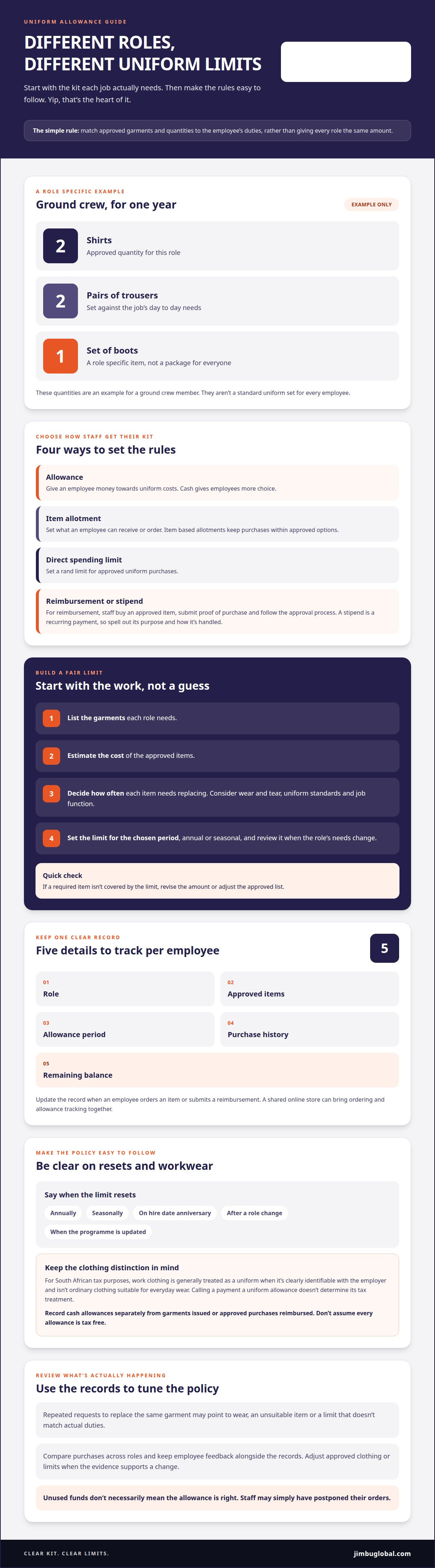
A direct spending allotment can set a rand limit for approved uniform purchases. Reimbursement works differently: employees buy an approved item, submit proof of purchase and follow the stated approval process. A stipend is a recurring payment, so explain its purpose and how it is handled in your policy. Set out when limits reset, such as annually, seasonally, on an employee’s hire-date anniversary, after a role change or when the uniform programme is updated.
Uniform Qualification and Tax Treatment
For South African tax purposes, an important distinction is whether clothing qualifies as a work uniform or is ordinary clothing. Calling a payment a uniform allowance does not, by itself, determine its tax treatment.
Work clothing is generally treated as a uniform when it is clearly identifiable with the employer and is not ordinary clothing suitable for everyday wear. A branded, role-specific garment differs from plain clothing an employee could wear outside work. List approved items by job function and keep the uniform policy with purchase records.
Reflect South African tax treatment according to the payment and the clothing’s classification. Do not assume every allowance is tax-free or that every workwear purchase receives special treatment.
Payroll Contributions and Tax Deductions
Payroll treatment covers how an allowance or the value of a uniform is recorded for PAYE, UIF and SDL. The payment’s form and tax classification matter, so record cash allowances separately from garments issued or approved purchases reimbursed.
Employees should not assume they can claim a deduction for buying, cleaning or maintaining work uniforms. Keep receipts and employer approvals, but do not treat those documents alone as proof of deductibility. Payroll records should show the employee, amount, payment date, allowance type, approved items and supporting documents. This creates a clear record for reporting and later review.
Inconsistent limits can mean employees in similar roles receive different support, while inadequate provision can make required items harder to replace. Review actual wear, role requirements and uniform standards whenever the policy resets.
Applying limits by employee or role
A fair limit starts with the garments each role needs. Base the allowance on actual use rather than setting the same amount for every employee.
Setting Limits by Employee Role
Role-based limits match approved garments and quantities to an employee’s duties. A ground crew member and an office-based employee, for example, may need different items and replacement schedules.
For example, a ground crew member could receive an allowance for two shirts, two pairs of trousers and one set of boots per year. Treat these as role-specific quantities, not a standard package for every employee. If someone changes roles, update their approved items and limit to match their new duties.
Use a role matrix to record each department’s approved garments, quantities and reset schedule. Keep limits easy to compare, then account for seasonal changes when work or uniform requirements call for them. You can combine a fixed garment allotment with a spending limit for replacements, provided the policy clearly explains what each covers.
Calculating a Fair Allowance
Calculate a fair allowance using each role’s uniform requirements and the estimated cost of its approved items. This ties limits to job needs instead of assuming the same amount is suitable for everyone.
List the garments required for each role, estimate how many employees need each item and decide how often it needs replacing. Consider wear and tear, uniform standards and differences in job function. Set a limit that covers approved needs for the chosen period, whether annual or seasonal, and review it when those needs change.
As a practical check, compare each role’s allowance with its approved garment list. If a required item is not covered by the limit, revise the amount or adjust the list. Clear rules help employees understand what they can order and give departments a consistent plan.
If your role-based limits need to match a consistent range of company uniforms and apparel, we can help you shape the garment selection around your team’s needs.
Benefits of automated uniform allowance tracking
A shared tracking process shows how each uniform programme is being used. It gives your team a clearer view of clothing purchases, remaining limits and changing needs across departments.
Start with one record per employee, including their role, approved items, allowance period, purchase history and remaining balance. Update it when they place an order or submit a reimbursement. This makes it easier to check whether a purchase fits the employee’s role and current limit, without searching through separate emails and spreadsheets.
Use these records to review patterns at each annual reset. Repeated requests to replace the same garment, for example, may point to wear, an unsuitable item or an allowance that does not match actual duties. Compare purchases across roles, then adjust approved clothing or limits when the evidence supports a change. Unused funds do not necessarily mean an allowance is right; employees may simply have postponed orders.
Tracking gives managers a consistent view of approvals. A clear record shows who requested an item, whether it was approved and how much allowance remains. This helps prevent duplicate reimbursements and makes decisions easier to explain when employees move between roles or departments.
Keep employee feedback alongside purchase records. Ask which items suit daily tasks, which wear out quickly and which approved garments are rarely used. Consider these comments alongside ordering patterns before changing the programme. Feedback provides context that a balance alone cannot show.
Set a regular review point, such as the annual allowance reset, and assign someone to keep records current. For seasonal programmes, review the policy at each seasonal change. If an employee’s role changes mid-period, update their approved items and limit and record the reason. A consistent process makes reviews more useful and keeps decisions tied to purchases and employee needs.
Using an online company store to administer allowances
An online company store gives employees one place to order approved apparel within a defined allowance. It connects the uniform policy with the ordering process, so staff can see available items and administrators can review purchases together.
Group garments by role or department, then show employees the options approved for their uniform. Apply the allowance or item limits you have set. If a role has a defined shirt quota, for example, the store can present that approved option and keep the order within the programme rules. A managed store suits teams seeking consistency and control; an open spending allowance offers more choice but requires clear purchase rules.
Keep a record for each order, including the employee, role, selected apparel, quantity and allowance period. This makes it easier to see what has been ordered and what remains available, instead of matching emails to spreadsheets. The same records can help managers identify repeated replacement requests and compare demand across departments before changing approved items or limits.
Keep replacement requests within the same process. Employees can select the required item, while managers record the reason, such as damage or a role change. Explain in your written policy how cleaning is handled, since an ordering store does not determine who is responsible for garment care. For returns, state which items can be returned, how employees report a return and how the allowance record is updated. Clear rules prevent returned garments from remaining on an employee’s purchase history.
Review store activity at each allowance reset. Compare orders with role requirements and employee feedback, then adjust approved clothing or limits when actual use points to a change. This grounds the uniform programme in how the team works, rather than guesswork.
If you’re ready to bring uniform choices and allowance rules into one ordering place, set up a company uniform store that fits your programme.
JIMBU
JIMBU brings Company Uniforms & Apparel and Brand Stores together to support your chosen allowance approach. If your team needs role-based apparel or a dedicated place for staff to order approved items, JIMBU can shape the setup around your programme.
Start with the roles, garment requirements and limits you have defined. JIMBU can help you plan the uniform options and store structure so the ordering experience supports your policy without adding unnecessary administration.
Talk to JIMBU about planning a uniform allowance setup for your team.
Put your uniform plan into practice
Your allowance policy should work in everyday practice, not just look tidy on paper. Set out how staff will choose, order and replace the clothing their roles require. Keep the rules straightforward for both employees and managers.
A practical way to manage employee uniform allowances is to connect the policy with the garments and ordering process behind it. JIMBU offers Branded Products, Company Uniforms & Apparel and Brand Stores. Together, these can support your uniform programme, from selecting workwear to giving employees a dedicated place to order.
Start with the requirements your team has identified. Bring your roles, approved garments and allowance approach into the conversation, then shape a setup around how your people work. That gives you a clearer path from policy to ordering.
Contact JIMBU to discuss your uniform allowance setup, and let’s get the next steps sorted.
Got questions?
Frequently Asked Questions


Ready when you are
Let's build something worth talking about.
One partner. End-to-end execution. From the first sketch to the last shipped box.